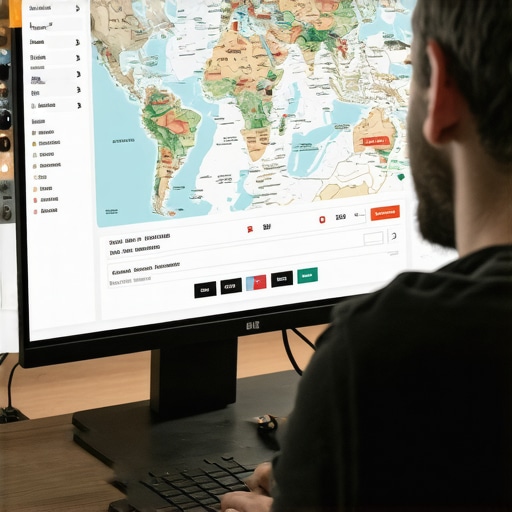
Where to Embed Google Maps on Your Site to Help Rankings: The Definitive Guide
In the evolving landscape of local search, visibility is no longer just about who has the most keywords on their page. As we move closer to the 2026 Google Maps algorithm shift, the criteria for ranking in the coveted “Map Pack” have shifted toward a more sophisticated model. I am Shahid Anwar, a Local SEO & Google Business Profile expert, and I have spent years helping businesses turn their digital presence into a lead-generation machine. Through my work at San Diego Map Pack Ranking, I’ve observed that the most successful businesses treat their website not just as a brochure, but as a piece of “local infrastructure.”
One of the most misunderstood components of this infrastructure is the Google Map embed. Many business owners and even some developers view a map as a simple utility – a way for customers to find their front door. However, from a google business profile seo perspective, a map embed is a powerful signal of Proximity, Relevance, and Prominence. It is a bridge between your physical location and your digital entity. When executed correctly, it verifies your existence to Google’s crawlers and strengthens the connection between your website and your Google Business Profile (GBP).
In this comprehensive guide, we will explore the strategic placement of Google Map embeds, backed by data and field-tested strategies. We will move beyond the “Contact Us” page and look at how hyperlocal signals can be distributed across your site to rank higher on google maps and dominate your local market.
Does Embedding a Map Actually Help SEO? The Data
Before we dive into placement, we must address the “why.” Does a simple iframe really move the needle for local map pack seo? The answer is a resounding yes, but perhaps not for the reasons you think. While an embed isn’t a “magic button” that instantly grants a #1 ranking, it acts as a validation signal that strengthens your site’s local context.
Consider the data from a well-known SearchPilot case study. In a controlled SEO experiment, a large brand removed the Google Map components from their local landing pages to improve page load speed. The result was a statistically significant 7% drop in organic traffic. Why? Because the map was providing more than just directions; it was providing “geographic relevance” that Google’s algorithm uses to categorize the page. When the map disappeared, Google’s confidence in the page’s local intent diminished, leading to lower rankings for location-specific queries.
Furthermore, embedding a map helps improve user experience (UX) metrics, such as time-on-page and reduced bounce rates. When a user sees a map, they engage with the site, often zooming in or clicking for directions. these engagement signals are secondary google maps seo factors that tell the algorithm your page is helpful to the user. To truly rank google business profile assets, you need to provide the algorithm with a cohesive map of your business’s digital and physical footprint. Utilizing professional local seo tools can help you track these subtle shifts in ranking as you implement these embeds.
The “Contact Us” Page: The Foundational Embed
The most obvious place for a map is the Contact Us page, yet it is where I see the most frequent mistakes. Most developers simply search for the business address on Google Maps, click “Share,” and grab the embed code. While this shows where you are, it doesn’t necessarily help you rank google business profile listings effectively.
To maximize google business profile optimization, you should embed the actual business entity, not just the address. When you search for your business name on Google Maps and then generate the embed code from that specific listing, the iframe includes your CID (Customer Identification) and other metadata that links directly to your verified profile. This creates a much stronger “trust signal” than a generic pin on a street map.
This is also the place where NAP consistency (Name, Address, Phone) is non-negotiable. The text surrounding your map embed must match your GBP exactly. If your GBP says “Suite 200” and your website says “Ste. 200,” you are creating friction for the algorithm. For more on this, check out our guide on Simple Moves to Fix Name, Address, and Phone Discrepancies Fast. A clean, entity-linked map embed on your contact page is the baseline for any google maps ranking service.
Location & City Pages: Hyperlocal Dominance
If you are a multi-location business or a service provider targeting multiple neighborhoods in San Diego, city page seo is your best friend. A common mistake is using the same map embed (pointing to the main headquarters) on every city page. This is a missed opportunity for local search optimization.
Each city or neighborhood page should serve as a local hub. If you have a physical office in Chula Vista and another in La Jolla, the Chula Vista page must feature an embed of the Chula Vista GBP. If you are a service-area business without multiple physical offices, you can still use maps to your advantage. Embed a map that highlights the specific neighborhood or “geo-grid” you are targeting. This reinforces the hyperlocal seo signals that Google looks for when deciding which business to show in the local pack.
By tailoring your map embeds to specific areas, you are essentially telling Google: “We are the local authority in this specific zip code.” This is a key strategy I use when San Diego SEO Strategies: Unlock Local Rankings & Drive Traffic are the primary goal. It allows smaller businesses to compete with national brands by appearing more relevant to the immediate local searcher. You can even use local seo software to see how your rankings change neighborhood by neighborhood as you roll out these city-specific embeds.
Service Area Pages: The “Hidden” Opportunity
Service Area Businesses (SABs), such as plumbers, electricians, or landscapers who don’t have a storefront, often struggle with service area business seo. They frequently ask, “Where do I embed a map if I don’t want people showing up at my house?”
The answer lies in the “Service Area” map. In your Google Business Profile settings, you define the areas you serve. You can generate a map that reflects this radius. Embedding this specific geographic signal on your service pages is often the one thing missing from service area pages that won’t rank. It provides a visual and technical confirmation of your service boundaries.
When you embed a map on a service page (e.g., “Emergency Plumbing in North County”), you are aligning your website content with your GBP’s service area. This alignment is a major google maps ranking tip. It bridges the gap between your textual claims (“We serve North County”) and your verified Google data. This synergy is exactly what a professional google maps ranking service focuses on to ensure a client doesn’t just rank in their home city, but across their entire service territory.
Footer vs. Homepage Embeds: Balancing Signals and Speed
A frequent debate in the google business profile seo community is whether to place a map in the site-wide footer. On one hand, a footer embed provides a consistent local signal on every single page of your website. On the other hand, iframes can be heavy and may negatively impact your Core Web Vitals, specifically Largest Contentful Paint (LCP).
The Homepage Strategy
The homepage is the most authoritative page on your site. Including a map embed here – usually near the bottom – establishes your primary location immediately. For a single-location business, this is highly recommended. It anchors the entire domain to a specific geographic coordinate. This is a core part of google business profile optimization.
The Footer Compromise
If you are worried about site speed, you don’t necessarily need a “live” iframe in the footer. Instead, you can use a high-quality static image of your map that links directly to your Google Maps listing. This provides the “trust signal” to users and a backlink to your GBP for crawlers, without the performance hit. However, if your site is well-optimized and can handle the load, a live footer embed is a strong way to maintain google maps visibility across your entire site architecture.
Deciding between these options often requires a deep dive into your current site performance. I often recommend using GBP ranking tools to monitor if your ranking fluctuates when you toggle these embeds on or off. For those in the Golden State, mastering these nuances is essential for Maps SEO California: Dominate Local Searches in 2025.
Advanced Tactics: Press Releases & External Embeds
Your map strategy shouldn’t stop at your own website. To truly build google business profile authority, you need to think about where else your map can live. This is where we get into the “off-site” signals that most local seo ranking factors checklists overlook.
One highly effective tactic is embedding your Google Map in a Press Release. When you distribute a PR through high-authority news wires, your map embed is picked up by hundreds of news sites. This creates a massive “cloud” of geographic relevance around your business entity. It tells Google that your location is being cited by authoritative sources across the web.
Additionally, embedding your map in high-quality local directories or niche-specific blogs can help. These are “unstructured citations.” While the specific citations that actually move the needle for local rankings are often the standard ones like Yelp or Yellow Pages, these map-heavy unstructured citations provide a unique boost to your google maps seo efforts. If you’re looking for a way to automate or scale this, using a google maps ranking service or specialized google business profile seo software can save you hundreds of hours of manual labor.
Common Mistakes to Avoid
Even with the best intentions, a poorly implemented map can do more harm than good. Here are the top mistakes I see in my google maps ranking expert audits:
- Using the Wrong API Key: If you are using a custom Google Maps API implementation and your billing or key is expired, the map will show an error. This looks terrible to users and sends a “broken” signal to Google.
- Embedding a “Dead” Listing: If you have recently moved or rebranded, ensure you aren’t still embedding your old listing. This causes massive NAP confusion.
- Non-Responsive Maps: Ensure your map embed is set to 100% width so it scales on mobile devices. Since most local searches happen on mobile, a map that breaks the page layout will kill your conversion rate.
- Ignoring the 2026 Shift: As we look toward preparing for the 2026 Google Maps algorithm shift, static signals are becoming less important than dynamic ones. Ensure your embed is part of an active, updated GBP strategy.
Conclusion: Building Your Local Infrastructure
Strategically embedding Google Maps is not a one-time task; it is an ongoing part of your local search optimization strategy. By placing maps on your Contact page, City pages, and Service Area pages, you are building a robust geographic framework that Google can’t ignore. You are moving from being just another website to becoming a verified local entity.
If you want to improve google maps ranking and ensure your business is the first one customers see, it’s time to audit your map strategy. Whether you do it yourself using local seo tools or hire a google maps ranking expert, the effort will pay dividends in traffic, calls, and revenue. Don’t leave your local visibility to chance – build your infrastructure today.
Ready to take your visibility to the next level? Check out our Google Business Profile SD: A Step-by-Step Optimization Guide to start dominating the San Diego market now.